Your Email List: Your Most Valuable Asset as an Author

Let’s talk about something that might surprise you. You know how everyone says you need to be on social media, have a fancy website, and constantly promote your latest book? Well, I’m going to let you in on a little secret: while those things are nice, they’re not the most powerful tool in your arsenal.

What is? Your email list.

I know what you’re thinking – “Email? Really? Isn’t that kind of… old school?” Trust me, I hear this all the time. But here’s the thing: your email list is the one marketing asset you actually own and control. And that’s huge.

## Here’s Why This Matters So Much

Think about it this way: every time someone buys your book on Amazon, guess who gets to keep their contact information? Not you – Amazon does. They’re over there building relationships with your readers while you’re left wondering how to reach them again. Pretty frustrating, right?

And social media? Sure, it’s great, but those followers don’t really belong to you. Facebook or Instagram could change their algorithm tomorrow (we’ve all seen it happen), or those platforms could take away your accounts, and suddenly your posts are reaching basically nobody. Not fun. Also, how about that TikTok ban looming on the horizon? How would you like to be one of those authors who is ONLY selling books because of TikTok?  That’s going to be a rude awakening if the ban goes through. However, if those authors had been getting even a fraction of those book buyers to sign up for their email lists, they’d be better off and not have to start all over.

Speaking of starting over, let me describe a very common phenomenon I see with almost every author I start working with.

## The Endless Launch Cycle Trap

This is when authors have to start from scratch with every single book launch. They’re out there hustling on social media, running ads, doing everything they can think of to reach new readers. It’s exhausting, and honestly? It doesn’t have to be that way. If those authors would just stop and set things up properly so they were consistently building their email lists, each launch would be easier.

## Let Me Make This Super Simple

There are really just three things you need to set up (Let’s call them the 3Ls to make them easy to remember):

1. A List – Pick an email service (like MailerLite or EmailOctopus- anything but MailChimp! – there are tons of good ones. Here’s a list.)
2. A Link (or a QR code) – Something easy for readers to type or click
3. A Landing Page – A page where people can sign up (usually in exchange for something cool, like a bonus chapter). I use BookFunnel for this but you can put a page on your author website or use one from your email service. Just make sure it is super simple to remember in case your reader is going to actually type it in to the internet.

That’s it! No fancy website needed, no complicated marketing schemes. Just these three pieces working together.

## “But I Don’t Know How to Do Any of That!”

I totally get it – this stuff can feel overwhelming at first. That’s exactly why I put together a free guide that walks you through everything step by step.  You can grab that here.

(See what I did there? That’s exactly the kind of link you’ll want to include in your books!)

## Don’t Make This Mistake

Here’s something that makes me sad every single day: I can’t tell you how many authors I’ve worked with who have written dozens of books but never collected a single email address. They always say the same thing: “I wish I’d started this years ago.”

Don’t let that be you! If you’ve already published books without an email signup link inside, every sale is a missed opportunity to connect with a potential superfan. Don’t beat yourself up about it. All you can do is start where you are, right now, today.

## Ready to Take Action?

Here’s your super simple game plan:
1. Grab that free guide I mentioned
2. Sign up for an email service (almost all of them have free plans to start)
3. Create a simple landing page with something cool to give away
4. Put that link in your books

That’s it! Once you’ve got this foundation in place, everything else becomes so much easier.

Remember: your email list is like a direct line to your readers’ hearts (and maybe their wallets too – let’s be real). Don’t wait to start building it!

Migrating Your Author Site from SquareSpace to WordPress: a Step by Step Website Guide

You’re here because your built your author website on SquareSpace (maybe “just to get it over with,” I hear that alot) and now you feel stuck. You like how the site looks, but you feel trapped by the monthly fees and you don’t know what step to take next. Or maybe you were fine with your website (because you didn’t know it could be cheaper) until you read this article, and now you have buyer’s remorse and want to move it.

I get it!  I’m here for you.  I want you to have a website you like and are in total control of (meaning, it is your actual firstnamelastname.com) that is also budget-friendly.  While I do think your website is a super important part of your author platform, I don’t think you’re going to use it a ton (at least at first), and I definitely don’t want you paying something crazy like $30/ month for it. At the beginning of your writer career at least, you’re just putting your website in place as one of the puzzle pieces, mostly to take over that space in the search engines and to give people the opportunity to sign up for your email list. I feel like those requirements can be met for about $5/ month, honestly.

Where do you even start with this?

Good question. To be totally honest with you, migrations are always kind of a chaotic, frustrating mess. That’s a “you don’t know what you don’t know” situation, and the more built up the site is, the more loose ends you’ll end up having to chase down. It helps to keep reminding yourself that ultimately, the headache is going to be worth it to save all that money.

I would start with your domain. The first thing to do is transfer your domain away from SquareSpace so you can control the DNS (where the domain actually points to). SquareSpace counts on you not wanting to know that much about the inner workings of your website, so they maintain control over that part of it (and charge you a premium for that privilege, for whatever reason). If you’ve been exclusively in the SquareSpace world, you might not even be aware of the fact that you can (and should!) register your domain somewhere else for less money. My “best practice” domain registrar is NameCheap, and here’s the thing– once you transfer your domain over there, you can always point it back to SquareSpace if you decide not to do the migration.  So, let’s tackle that one first just to save you some money.

What we’re doing here is moving your website over from SquareSpace to NameCheap, with WordPress.org (a software) as the back-end.  Once your site is built out of WordPress (rather than SquareSpace’s technology), it will look completely different, so start mentally preparing for that now. I know you like the SquareSpace design, but you can’t take it with you (sorry!). This is about saving you money.

How to Transfer Your Domain from Squarespace to NameCheap

Before You Start

Make sure your domain meets these requirements:

  • At least 60 days old (ICANN rule)
  • Not expired
  • Domain lock is disabled
  • You have access to the email address listed on the domain

If your domain doesn’t meet all of these requirements yet (like, because you just registered it at SquareSpace), that is totally fine!  Bookmark this post and come back to this later.

Step 1: Prepare Your Domain in Squarespace

  1. Log in to your Squarespace account
  2. Go to Settings > Domains
  3. Click on your domain name
  4. Disable domain lock if enabled
  5. Request an authorization code (EPP code)
    • Click “Get Authorization Code”
    • Squarespace will email this code to you
    • Keep this code handy – you’ll need it for NameCheap

Step 2: Start the Transfer at NameCheap

  1. Go to NameCheap.com
  2. Go to Domains> Transfer
    3. Type in your domain name. It will give you some information about whether the domain is “eligible for transfer,” which is just referring to whether it is technically “old enough” to be moved. Do not let any of the language alarm or confuse you. You’re doing great!

4. Add the transfer to your cart

5. Complete the checkout process (transfers typically cost around $10-15)

Step 3: Enter Authorization Code

  1. After purchase, go to your NameCheap dashboard
  2. Find the domain under “Domain List” > “Transfer Domain”
  3. Enter the authorization code from Squarespace
  4. Follow the prompts to confirm domain ownership

Step 4: Approve the Transfer

  1. Check the administrative email address associated with your domain
  2. Look for an email requesting transfer approval
  3. Click the approval link or follow instructions to approve
  4. The transfer process will begin

Step 5: Wait for Completion

  • Transfer typically takes 5-7 days
  • Both Squarespace and NameCheap will send status updates
  • Don’t cancel your Squarespace domain service until the transfer is complete

Step 6: Update DNS Records (If Needed)

Once the transfer is complete:

  1. Log into your NameCheap account
  2. Go to Domain List > Manage
  3. Click “Advanced DNS”
  4. Add any necessary DNS records for:
    • Website hosting
    • Email services
    • Third-party services

Important Notes

  • Keep your Squarespace account active during the transfer
  • Save copies of your current DNS records before the transfer
  • The transfer fee typically includes one year of domain registration
  • Your website might experience brief downtime during DNS propagation

Troubleshooting Common Issues

If it seems like SquareSpace doesn’t want you to leave:

1. Stay positive and persistent. This is happening
2. Tell them “It’s fine, I’m just moving my domain over to a less expensive registrar. I still like you.”
3. Keep saying “No thank you” until they give you the damn code already.

If your transfer gets stuck:

  1. Take several deep breaths and remind yourself that this is going to be worth it.
  2. Verify your domain is unlocked
  3. Verify the authorization code is correct
  4. Ensure your contact information is accurate
  5. Contact NameCheap support if needed (they have wonderful chat support)

After the Transfer

  1. Verify your domain works correctly
  2. Update contact information if needed
  3. Set up auto-renewal if desired
  4. Save your NameCheap login information
  5. Go back and cancel your Squarespace domain service


Step 2:  Get (Cheap) Hosting, Install WordPress

Once the domain is settled (so to speak), your next move is to get some hosting and install WordPress on it. I would recommend just using NameCheap’s hosting because it is the easiest to set up, and frankly, you have enough to worry about right now and are probably just about over this process already.
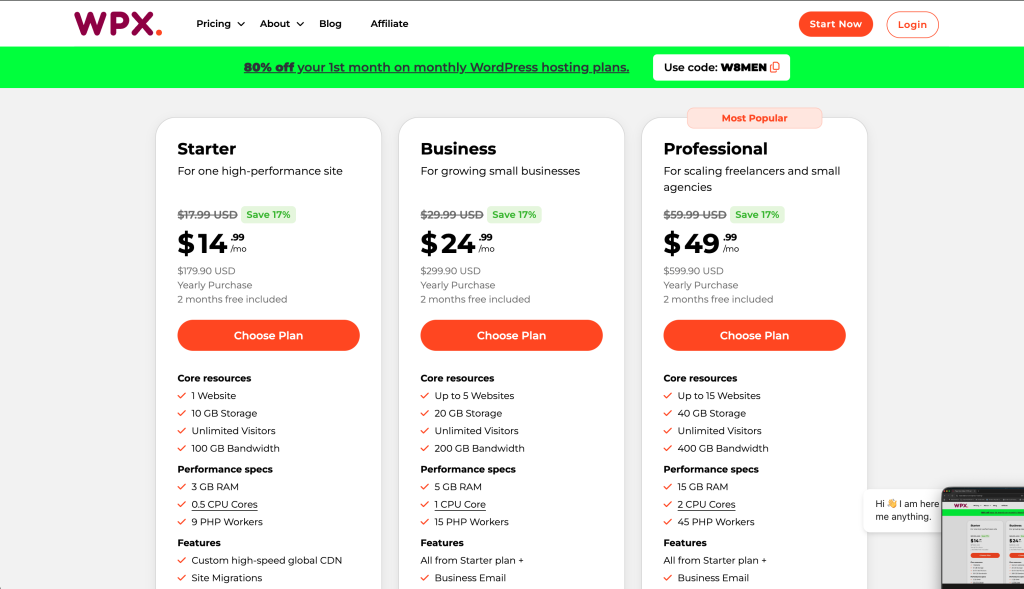
So, go back over to NameCheap, click on “Hosting,” then “Shared” and choose one of these options:

I would love for you to pick “Stellar Plus” (the one in the middle) or “Stellar Business” (the one on the right) because those give you the option of hosting more than one website and I want you to leave your options open for growth, but honestly, if the $2/ month option is looking super appealing right now because of what you’ve been paying SquareSpace, I get it!  Do that!!

When that’s done (and remember, your site still “lives” at SquareSpace so it will look like it always did), that is all you can do on the NameCheap side, so you’ll need to go back over to SquareSpace and start packing up your virtual boxes in preparation for your big move.


Don’t stress!  This is going to work out!

Step 3:  Go to SquareSpace, export your site

The process of moving your content from Squarespace to WordPress involves several key steps. First, you’ll need to export your Squarespace content. Go to Settings > Advanced > Export in your Squarespace dashboard. This will create an XML file containing your pages, posts, and some basic content structure.

However, be aware that not everything will transfer perfectly. You’ll likely need to manually move or recreate:

  • Custom page layouts
  • Contact forms
  • Image galleries
  • Product listings (if you have an online store)
  • Email newsletter integrations

Now’s the time to really go through the site and go on a copy/ paste frenzy, man. Back that entire site up, one page at a time, and save it somewhere like Google Docs. That way, even if the XML import doesn’t work, you can rebuild by hand.

Step 4:  Set Up WordPress

Now, it’s time to get WordPress up and running so you can begin the import process.

  1. Install WordPress on Your Host: Most hosting providers have a one-click install option. Follow their instructions to set up WordPress.
  2. Access Your WP Dashboard: Typically, you’ll go to yourwebsite.com/wp-admin to log in. Enter the credentials you created during the install.
  3. Pick a Theme: While you can start with a default WordPress theme, you might want to explore themes specifically for authors. Look for something that’s responsive (mobile-friendly) and suits your brand. You can always switch themes later.

Note: Don’t sweat the design details too much yet. You can fine-tune your theme and layout after the content is in place. Just make sure to take a bunch of screenshots of your SquareSpace site so you can find a WordPress theme that looks vaguely similar.

5. Import Your Squarespace Content into WordPress

Now for the fun part—bringing your blog posts and pages to their new home.

  1. In WordPress, Go to Tools → Import: You’ll see a list of options for importing.
  2. Install the WordPress Importer Plugin: If you haven’t already, WordPress will prompt you to install this. It’s free and quick to set up.
  3. Upload Your Squarespace XML File: Select the file you downloaded from Squarespace, and hit Upload and Import.
  4. Assign Authors: If you’ve got multiple authors or want to assign a specific user to the imported posts, you can handle that here.
  5. Wait for the Process to Complete: Once it’s done, you’ll see a success message. Congratulations—your basic content is now in WordPress!

Warning: Some elements—like photo galleries, forms, or custom code blocks—won’t come through. Make a note of these so you can re-create them.

6. Rebuild and Tweak Your Pages

Time to roll up your sleeves and ensure everything looks good on your new WordPress site.

  1. Compare Pages: Remember the content inventory you made in Step 1? Go through each page in WordPress and see what’s missing or needs updates.
  2. Set Up Navigation: In Appearance → Menus, create or edit your main menu so that it mirrors (or improves upon) your old Squarespace menu.
  3. Add Missing Images and Graphics: Some images may not have transferred. Re-upload them to your Media Library (via Media → Add New), then insert them into your pages/posts.
  4. Recreate Forms: If you had a contact or newsletter form, install a WordPress form plugin (like Contact Form 7, WPForms, or Gravity Forms) and rebuild those forms.
  5. Tidy Up Formatting: Check for any stray formatting quirks. Sometimes paragraphs or headings might need a bit of cleanup.

Pro Tip: If you had a newsletter signup on Squarespace, integrate a WordPress-compatible email marketing plugin or embed the signup form from your chosen email service provider so you can continue to capture subscribers.


7. Design and Branding

Your author website should reflect who you are as a writer and what visitors can expect from your books.

  1. Customize Your Theme: Head to Appearance → Customize to play with fonts, colors, and layout options.
  2. Install Essential Plugins:
    • SEO Plugins (Yoast SEO or Rank Math): Helps improve your discoverability on search engines.
    • Caching Plugins (WP Rocket or W3 Total Cache): Speeds up your site’s performance.
    • Security Plugins (Wordfence or Sucuri): Helps protect against hacks and malware.
  3. Test Your Site on Mobile: Make sure your new WordPress site is mobile-friendly. Most modern themes are responsive, but it’s always good to double-check.

Bonus Tip: Consider a page builder like Elementor, Beaver Builder, or Gutenberg blocks if you want more drag-and-drop flexibility in designing your pages. This can be particularly helpful if you’re not super techy but still want a custom look.


8. Point Your Domain to Your New WordPress Site

Once your site is looking good on WordPress, it’s time to make it live for the world to see. This is where you’ll connect (or “point”) your domain to your new hosting.

  1. Log into Your Domain Registrar: (in this case, NameCheap)
  2. Update DNS Settings: Change your nameservers (or A record) to the ones your new hosting provider gave you.
  3. Allow Time for Propagation: It can take anywhere from a few minutes to 24-48 hours for your new site to appear under your domain across the internet.

9. Run Final Checks

Once your domain is pointing to your new site, do a thorough review.

  • Check All Pages: Is the layout correct? Are images showing up?
  • Test Links: Make sure internal links work properly and external links open as expected.
  • Review SEO Settings: Ensure you have the right title tags, meta descriptions, and alt text for images.
  • Enable Backups: Set up a regular backup system using a plugin or your host’s built-in backup service.

Reminder: This is the perfect time to share your new website with a few trusted friends or beta readers. Have them poke around and let you know if they spot any issues or typos.


10. Announce Your New Site

You’re live, so it’s time to celebrate—and let your audience know.

  1. Send an Email to Your List: Announce your new site to your mailing list, highlighting any cool new features (like a brand-new freebies section or updated book page). Dude!  This is why I am always going on and on (and on) about building an email list!
  2. Post on Social Media: Show off screenshots or a behind-the-scenes look at your design journey. Invite readers to comment on the new look.
  3. Update Links: Make sure all your social media bios (Twitter/X, Instagram, Facebook, LinkedIn, etc.) point to the correct domain.

Extra Touch: Offer a small giveaway or bonus chapter as a “housewarming” treat to encourage folks to stop by the new site and poke around.


11. Maintain & Grow

Your WordPress site is up and running (and you have hopefully stopped being mad at me for how difficult this process turned out to be), but your journey doesn’t end here.

  • Keep Plugins and Themes Updated: This helps protect against security issues.
  • Regularly Publish Blog Posts or Book Updates: Keep your content fresh and your readers engaged.
  • Monitor Performance: Use Google Analytics or a similar tool to track traffic and see how visitors interact with your site.
  • SEO & Marketing: Continue optimizing your site for search engines, and ramp up your marketing efforts to bring new readers on board.

Pro Tip: Consider installing a plugin like Broken Link Checker to make sure your site remains healthy over time. It alerts you if any links stop working, so you can fix or remove them quickly.


Final Thoughts

Migrating from Squarespace to WordPress can feel like a big leap, but with a bit of planning and some careful execution, you’ll land on your feet with a shiny new author site that gives you more customization and control. Now, you can flex your creative muscles beyond what Squarespace offered—and really make your online author platform your own. Plus, think of all that money you’re saving!

Good luck, and happy building!

A Short Guide to Book Marketing for Indie Authors

So you’ve written a book—congratulations! That’s huge, and you should be incredibly proud. But now you’re staring at your screen thinking, “Okay… how do I actually get this book into readers’ hands?”

This is the # 1 problem I hear from self-published authors! Don’t worry, I’ve got you covered.

Here’s the thing: marketing your book doesn’t have to be scary, complicated, or make you feel like you’re turning into a used car salesman. At its heart, book marketing is simply about connecting with people who like your writing. Think of it as matchmaking—you’re just helping your book find its perfect readers!

This guide will walk you through everything you need to know, step by step, in plain English. No marketing buzzwords, no complicated strategies you need an MBA to understand. Just practical, proven approaches that actually work for indie authors like you.

Your Email List: Your Marketing Foundation

Other marketing experts will argue with me on putting this point first, and those experts are wrong and are trying to sell you something. Why else would they not want you to build up an audience of customers that you own?

Ha!  I’m kidding.  Sort of. Not really.

Your email list is your most valuable marketing asset—it’s the one channel you truly own. Unlike social media platforms, where algorithms control who sees your content, email gives you direct access to your readers. Here’s how to make it work for you:

Growing Your List

  • Create irresistible lead magnets: free short stories, exclusive chapters, or character guides
  • Place sign-up forms strategically across your website
  • Include newsletter invitations at the end of your books

Making Your Newsletter Worth Reading

  • Share meaningful updates about your writing journey
  • Offer exclusive content and sneak peeks
  • Mix in book recommendations and writing insights
  • Maintain a consistent schedule your readers can count on

Smart List Management

  • Welcome new subscribers with automated email sequences
  • Group subscribers based on their interests
  • Track what content generates the most engagement

I really do think this is the absolute most important part of author marketing. I think this step should come before any paid advertising, social media outreach, book signings, or anything else you might be wanting to do. Because think about it– every book you sell is an opportunity for that person to become your fan for life (to buy your next book). If your current book goes super viral (which I hope it does!) and sells a million copies, that’s one million people whose email addresses you do not have. Give them the opportunity to connect with you!

I believe in this so much, I wrote a whole short guide about it, which I would absolutely love to give you for free.  Please go get it!


I would apologize for breaking in here with an obnoxious promo, but since this is free, I am not sorry! Go get it and set up your reader magnet/ email list signup right now and put that link in your book! I have never been more serious about anything, people. Do it now before you sell even one more book!

Building Your Author Platform

I’ve talked so much about author websites on here I’m sick of myself, so I will just reiterate:  yes, you need a website, sooner rather than later, and leave you with this list. If you want to go down the whole website rabbit-hole, start here, because that’s where I put all the new posts and info about that subject.

Bare minimum, you’ll want to:

  • Secure a professional domain using your author name
  • Maintain an engaging blog with regular updates
  • Optimize for search engines to improve visibility

Social Media Strategy

  • Focus on platforms where your readers actually hang out
  • Keep your branding consistent across all channels
  • Engage authentically with your audience

Professional Book Packaging and Launch

Making Your Book Look Its Best

  • Invest in professional cover design that matches your genre
  • Ensure your formatting looks clean and professional
  • Write compelling book descriptions that hook readers

Building Pre-Launch Buzz

  • Distribute advance review copies strategically (to your email list, which you started building using that free guide I told you about above. Does it make sense now why I’m always on about that?)
  • Connect with relevant book influencers (Which you now know through social media because you started connecting with the followers of the authors you found in your competitive analysis)
  • Build anticipation through teasers and excerpts

Advertising That Works

DO NOT DO ANY OF THESE THINGS UNTIL YOUR EMAIL LIST SIGNUP IS SET UP PROPERLY. I AM TOTALLY SERIOUS YOU GUYS.

Amazon Advertising

  • Start small and test different approaches
  • Monitor your results closely
  • Scale what works, cut what doesn’t

Social Media Advertising

  • Target readers based on similar authors they love
  • Test different ad formats and messages
  • Track your return on investment

BookBub Campaigns

  • Target followers of comparable authors
  • Monitor performance metrics closely
  • Adjust your strategy based on results

Building Reader Relationships

Community Engagement

  • Maintain an active Goodreads presence
  • Participate meaningfully in reader groups
  • Share genuine insights and recommendations

Influencer Partnerships

  • Follow submission guidelines carefully
  • Make reviewers’ lives easier with complete press kits
  • Build long-term relationships

Events and Collaborations

Virtual Events

  • Host engaging online launch parties
  • Team up with other authors for joint events
  • Make events interactive and memorable

Cross-Promotion

  • Exchange newsletter mentions with other authors
  • Participate in multi-author promotions
  • Join forces for special events or anthologies

Smart Pricing Strategies

Strategic Discounts

  • Use promotional services to amplify your sales
  • Consider making the first book in your series free
  • Time your promotions for maximum impact

Value Bundles

  • Create attractive box sets
  • Offer special deals for loyal readers
  • Use bundles to introduce new readers to your work

Measuring Success

Track Everything

  • Monitor your sales patterns
  • Analyze your series read-through rates
  • Keep an eye on email engagement metrics

Never Stop Learning

  • Stay current with industry trends
  • Connect with other authors
  • Test new marketing approaches

The Big Picture

Marketing success comes from building strong relationships with your readers. Your email list serves as the foundation, while your platform, promotional activities, and reader engagement efforts work together to create a sustainable author business. Focus on what works for you and your readers, and don’t be afraid to adjust your strategy as you learn what resonates with your audience.

Remember: The most successful marketing doesn’t feel like marketing at all—it feels like connecting with readers who love the same kinds of stories you do.

Can You Make Your Author Website on Squarespace?

The answer is yes….but make sure you do your due diligence first so you’re not stuck overpaying for something you don’t want.

What is Squarespace?

Squarespace is a website-building platform that offers some beautiful templates and drag-and-drop functionality. It provides an all-in-one solution including hosting, domain registration, and integrated features like blogging and e-commerce tools. For authors who want a professional-looking website without coding expertise, it can be a good choice, especially if you don’t feel like you’re super tech savvy and just want to check “set up my website” off of your list.

However. The “ease of setup and use” comes at a price.

Squarespace Pricing

  • Personal Plan ($16/month annually, $23/month monthly)
    • Best for basic websites with essential pages
    • No advanced integrations
  • Business Plan ($23/month annually, $33/month monthly)
    • Enhanced customization and marketing tools
    • Light e-commerce with 3% transaction fee
  • Basic Commerce ($27/month annually, $36/month monthly)
    • Ideal for authors selling books/merchandise
    • No transaction fees
  • Advanced Commerce ($49/month annually, $65/month monthly)
    • Full online store capabilities
    • Advanced e-commerce features

Note on Additional Costs: Domain renewal costs $10-15/year after the first free year. Consider registering through NameCheap instead of Squarespace for better pricing. SquareSpace also charges for email marketing if you’re not in a plan that includes that feature.

Strengths and Limitations

Usually I’m just totally against “do it yourself” platforms like this because of the cost, but I’m trying to grow as a person this year so I will say a couple of nice things. Squarespace shines in several areas. Its professionally designed templates are mobile-responsive and can make any author’s site look polished and modern. The platform offers excellent security with built-in SSL certificates and reliable servers. Their support team is available 24/7 through email and live chat, complemented by comprehensive help guides and an active community forum.

However, there are some drawbacks to consider. Compared to platforms like WordPress, Squarespace offers limited customization options and fewer integration possibilities. Plus, and I’m sorry to keep harping on this, but monthly subscription costs can add up over time,  especially if you’re not even really using the website that much. Also (and maybe this is just a “me” problem because I am a tech nerd that writes non-fiction), DIY platform sites like these are notoriously sucky for non-fiction authors because they are harder to rank in the search engines (I would tell you why but I assure you, you do not care).

Is Squarespace Right for You?

Consider your specific needs as an author. Squarespace might be perfect if you value aesthetic design and want a straightforward, all-in-one solution with minimal maintenance, and if you are a “more money than time” person. The platform works well for authors who prefer to focus on content rather than technical details.

However, if you don’t have budget to spare, you need deep customization options, plan to build complex features into your site, or need the site to do great in the search engines, you might want to look elsewhere. Technical authors who enjoy having complete control over their platform might find Squarespace’s contained platform too restrictive.

Setting Up Your Author Website

If you decide to use Squarespace, the setup process is straightforward. Start with their 14-day free trial to test the platform. Choose a template that works well for authors—look for designs with good typography and layouts that showcase books effectively.

Your author website should include several key elements:

  • An engaging About page that tells your story
  • A Books section highlighting your work
  • A blog for connecting with readers
  • Contact information and social media links
  • An email newsletter signup form
  • An events calendar if you do readings or signings

A Note on Budget

Before committing to Squarespace, carefully consider your budget as an author. While the platform offers excellent features and design, the ongoing costs might be better spent on email marketing services or advertising to build your reader list. WordPress, though initially more challenging to learn, can offer significant long-term savings.

The final choice depends on your specific needs, technical comfort level, and budget. While Squarespace offers a polished, professional solution, take time to evaluate whether its benefits justify the investment for your author platform.

How to Get Your Self-Published Book Into Bookstores and Libraries

Let’s be honest—there’s nothing quite like walking into a bookstore and seeing your book sitting there on the shelf. For self-published authors, it’s kind of the dream, right? While getting your book online is pretty straightforward (once you’ve jumped through all the freaking hoops), breaking into brick-and-mortar stores and libraries can feel like trying to crack a secret code. Don’t worry, though! I’m going to walk you through exactly how to make it happen.

First Things First: Build Your Fan Base

Before you start knocking on bookstore doors, you’ll want to show that people are already excited about your book. Think about it—stores need to make money (shocking, I know!), so they want some proof that your book will actually sell.

Here’s what gets their attention:

  • An impressive social media presence (you don’t need to be Instagram famous, but some engaged followers help)
  • A decent-sized email list of readers who love your work
  • Some nice reviews and decent online sales
  • Any media coverage you’ve managed to snag (even that interview on your cousin’s podcast counts!)

If you’re lacking in any of these areas, go back and go through the Self Publishing Checklist, focusing especially on the marketing areas (like your reader magnet, social media, and author website setup).

Also, I am very sorry if your whole book marketing/ promotion plan was to get your book into bookstores and get it noticed that way. That is not how this works! Don’t shoot the messenger!

Make Your Book Look Like a Million Bucks

Here’s the thing—your book needs to look just as good as the ones from big publishers. No pressure! But seriously:

  • Get a professional editor. Yes, your mom’s friend who teaches English is lovely, but you want someone who does this for a living
  • Invest in a killer cover. People absolutely judge books by their covers, and you want them judging yours favorably. Make sure your book looks just as awesome as its top 5-10 competitors, because they are likely to all end up on a display table together.  If you haven’t done a thorough competitive analysis yet, please go do that now!  Here are some instructions (# 3 on the list!).
  • Make sure the printing quality is top-notch. No one wants a book that falls apart after one reading!

Get Your Ducks in a Row

This is the slightly boring but super important stuff:

  • Set your book up in IngramSpark.. Sadly, you can’t approach bookstores and libraries with an Amazon Kindle Publishing (KDP) only listing. Amazon does not take returns (because they are Amazon and they don’t have to), so you’ll need to put that in place before you approach stores.
  • While some people will say you need to own your own ISBN to get bookstores to stock your books, I have not found this to be the case. The Ingram-issued (free) ISBN has worked fine for my books and the books of my author clients.
  • Order a proof copy of your book and make sure it is absolutely perfect (printing looks good, barcode is scannable, cover image is clear, no typos or formatting errors) before you ever walk into a bookstore. The very last thing you want is for your local bookstore to order a big stack of your books, only to find that the cover image is off (or anything else you could have fixed if you had seen it first).
  • This brings up another important point:  DO NOT RUSH APPEARANCES. Make sure your books are ready to order (or that you have a bunch of copies on hand) before you reach out to bookstores for opportunities.

Start Local—These People Are Your Friends!

Your hometown bookstore is your best first bet. Why? Because local people love supporting local authors! Plus, you can actually show up there (that would be impossible to do in Barnes & Noble in New York when you live in Oregon).

  • Pop into local bookstores and actually chat with the folks who work there
  • See if they’ll take your book on consignment (basically, they only pay you if it sells). They will probably not do this, so be sure to give them the book’s information on IngramSpark.
  • Offer to do fun events that’ll bring people into their store

Next: Hit the Libraries

Libraries might seem all serious and intimidating, but they’re actually pretty cool. Here’s how to win them over:

  • Get some legit reviews (Kirkus is the gold standard, but take whatever reviews you can get. Hit your email list and ARC readers up to really come through in this area)
  • Make sure your book is available through their preferred suppliers (IngramSpark will cover this for you)
  • If your book has any local connection whatsoever, play that up! Start where you are!

Keep at It (Without Being Annoying)

Rome wasn’t built in a day, and your book empire won’t be either. Here’s how to stay in the game:

  • Follow up on submissions (politely of course)
  • When you get a win, celebrate it and use it to open more doors. Tell your social media and email list all about it!
  • Start small and build up. Today, your local bookstore; tomorrow, the world!

You’ve Got This!

Getting your book into physical stores and libraries is totally doable—it just takes some planning, persistence, and a bit of charm. Start building those relationships in your community, make sure your book looks amazing, and keep pushing forward. Before you know it, you’ll be taking that sweet, sweet shelf selfie with your book in an actual store.

Remember, every author started somewhere. Even J.K. Rowling didn’t wake up one morning to find Harry Potter in every bookstore in the world. Take it step by step, celebrate your wins (no matter how small), and keep believing in your book. After all, you wrote it for a reason!

P.S. Don’t forget to actually buy books from those local bookstores you’re hoping will stock yours. What goes around comes around in the book world!

All About Your Amazon KDP Sales: An Interview with Irineos Theodorou from KDP Champ

I see this question in alot of self-publishing Facebook Groups, so I thought I would address it here and give you guys the resource that I personally use.

People always wonder, once they self-publish their books on Amazon–

How will I know when I make sales?

The short answer is:   You won’t. Amazon is not going to let you know, so you’ll have to go looking for the “Reports” tab in your Kindle Direct Publishing dashboard.

When you click that tab, you’ll see this strangely vague chart.

You’re welcome to zoom in on this, because it tells you absolutely nothing (except for the fact that I sell some books every day, which is super awesome).

If you have more than one book for sale, you’re going to need to click the “Try the new KDP Reports beta” link, which will give you a more detailed report of what books you sold.  FYI, this feature has been in “beta” for several years and I have honestly never seen them make one change, so this might just be how KDP reporting is for the foreseeable future.

I have a bunch of non-fiction books in the KDP system, plus I have been working on a low-content side hustle for a couple years and have published 2,000+ books for that.

No, that’s not a typo.  I’ve been working on this book for several years, and as part of my “practice what you preach” philosophy, I now have over 2,000 low-content books in my library.  Pre-order that book if you want to find out more about that and learn how to publish low-content books yourself.

Here’s a problem, though:  once you have that many books for sale, you really need a reporting system that comes to you, rather than one you have to log in and look for a million times a day. For some reason, Amazon has not enabled this type of automated reporting for its KDP system (whereas if you sell on FBA, they totally have it!).

With this in mind, I went looking for a third-party software that sends notifications when sales are made, and I found that (and much more!) in KDPChamp.  In fact, I was so impressed with this software, I made friends with the developer, (Irineous Theodorou), and he agreed to answer some questions for us today!

Q:  Why should authors use KDP Champ?

A:  It is fast, it is reliable, we are constantly new features added, it is available on the phone, all data is encrypted to ensure the security of our users. In addition to that, it has integration with Amazon’s advertising platforms that enables the user to track their spending and sales with the click of a button. Customer support is our #1 priority and we are there for you at anytime to provide you with the best service!

What got you interested in helping authors track their book sales?

Summer of 2020, me and my brother in law were going on our regular walk at the beach when I couldn’t help but notice that he was obsessed with checking his phone every 2 minutes. I asked what is all the worry about and he told me that he just released a new book and he was constantly checking if he made any sales. And he said to me “Only if there was a tool that would notify me when I have a new sale!”, and this is how the idea was born. I knew that authors would love to check their book sales on their phone and at a glance without the need to constantly keep refreshing the KDP Reports page.

What do you say to authors who say they are not “techie,” meaning they think they  are going to have a problem installing and using KDP Champ?

I am always trying to improve the onboarding process as much as possible and minimize any friction on the user’s side. Of course, if someone is feeling that they will have problems setting up KDP Champ, they could always email me and I will reply almost instantly during UK working hours and weekends. I have a reputation of being very responsive and provide support to all my users at any time and I will keep it that way. I have also created videos on how a user can submit their cookies which can be found on Youtube at my channel called “KDP Champ”. I am always open to suggestions on how to improve the setup process and I am more than happy to adjust it at any point in favor of my users.

What is your biggest author success story since starting KDP Champ?

I have a best selling author on my platform that we became really good friends through KDP Champ. He was using Amazon’s advertising platforms for he book advertising and he was wondering why he is spending so much money and getting no sales. With the help of KDP Champ he managed to narrow down which book ads are not having good ROI and was able to closely monitor his ads through KDP Champ which in return helped him increase his ROI from 10% to over 200%. In addition to that this author along with many others, managed to save hours of work when calculating his AD Spend vs Royalties from all the different Amazon advertising marketplaces.)